
SNMP Configuration
此内容尚不支持你的语言。
There are two main types of SNMP services, one is to provide service information to other devices, and the other is to send alarms to specified devices.
Snmp Service Configuration
Section titled “Snmp Service Configuration”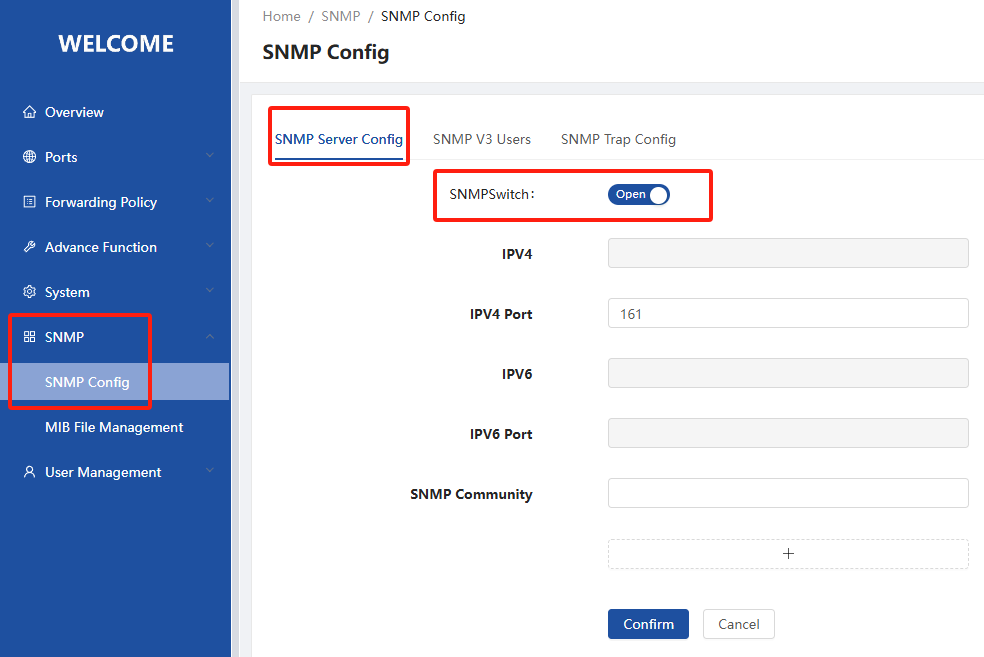
As shown in the figure to open the SNMP service to provide services to the outside world, the default IP for the management port IP, if there is no management port IP, you need to manually specify the IP to provide services, the default port is 161, the default group name for the public.
SNMP V3 Users
Section titled “SNMP V3 Users”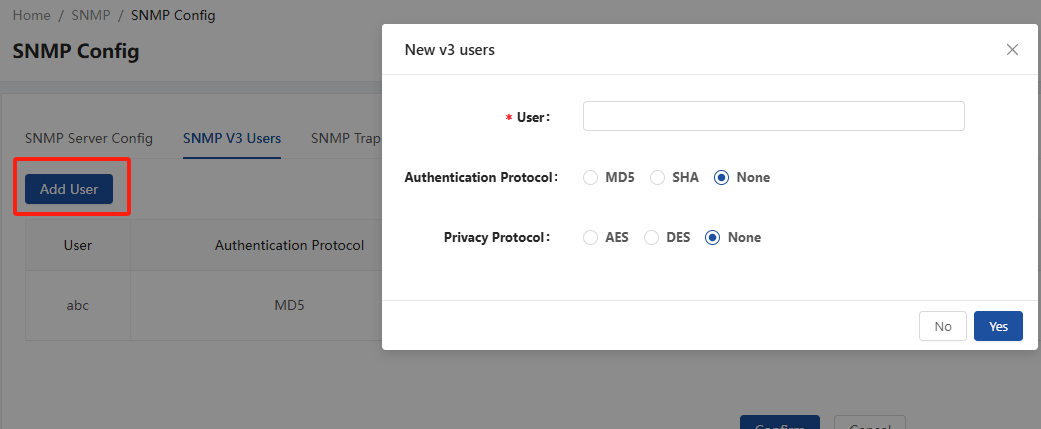
For SNMP V3 users you can create different users and specify keys for authentication protocols and encryption protocols.
SNMP Trap Configuration
Section titled “SNMP Trap Configuration”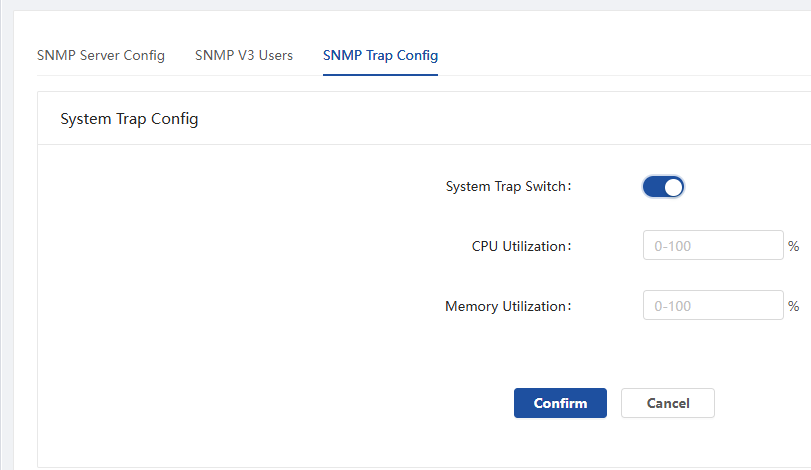
When the SNMP Trap switch is turned on, you can configure the threshold for CPU/memory utilization and send SNMP alerts when the utilization exceeds the threshold.
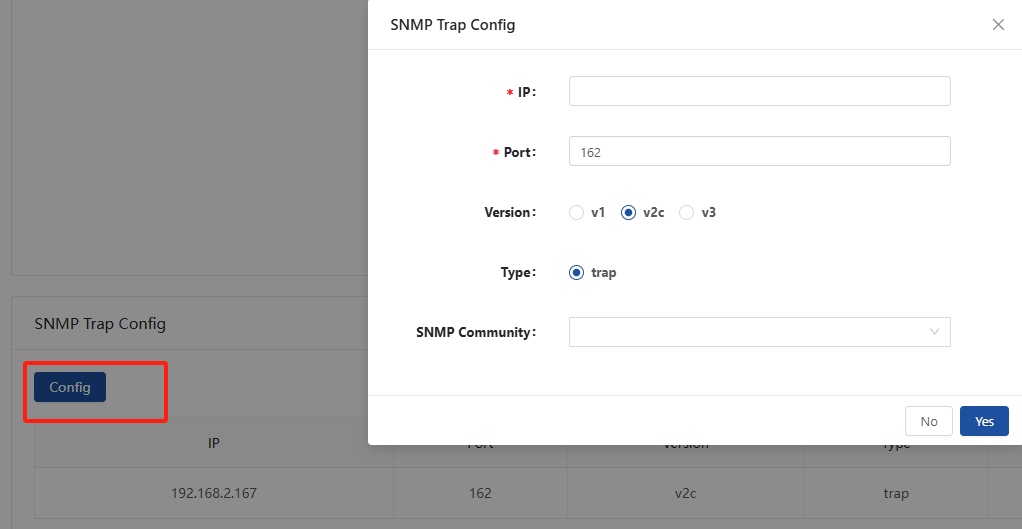
Configure the device IP and port for sending Trap externally, the default port is 162, optional version, and the group name is public by default or based on the group name configured by SNMP service.
Mib File Management
Section titled “Mib File Management”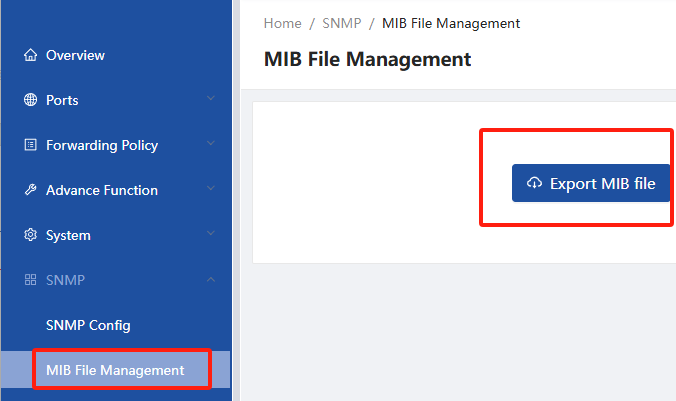
This interface is used to export the MIB file of the current device, which can be used by other management software to obtain SNMP information.