
Design Topology
Traditional Network Topology Planning
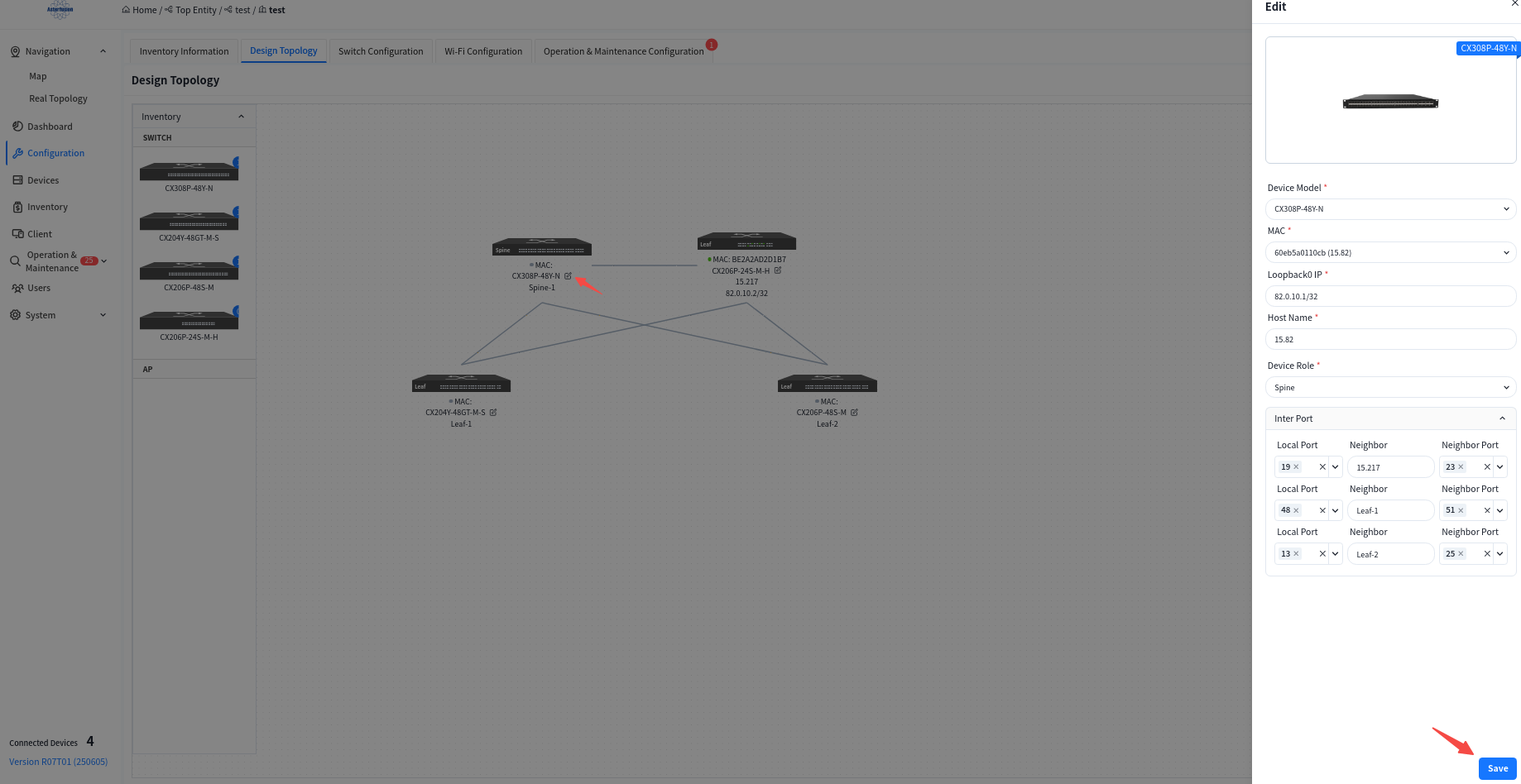
Section titled “Traditional Network Topology Planning”Users can click the [Edit] button on the device side, select devices from the inventory to be applied to the current topology in the slide-out panel on the right, and then choose interconnection interfaces.
Or click [Import Configuration] in the upper right corner of the page to import the configuration.
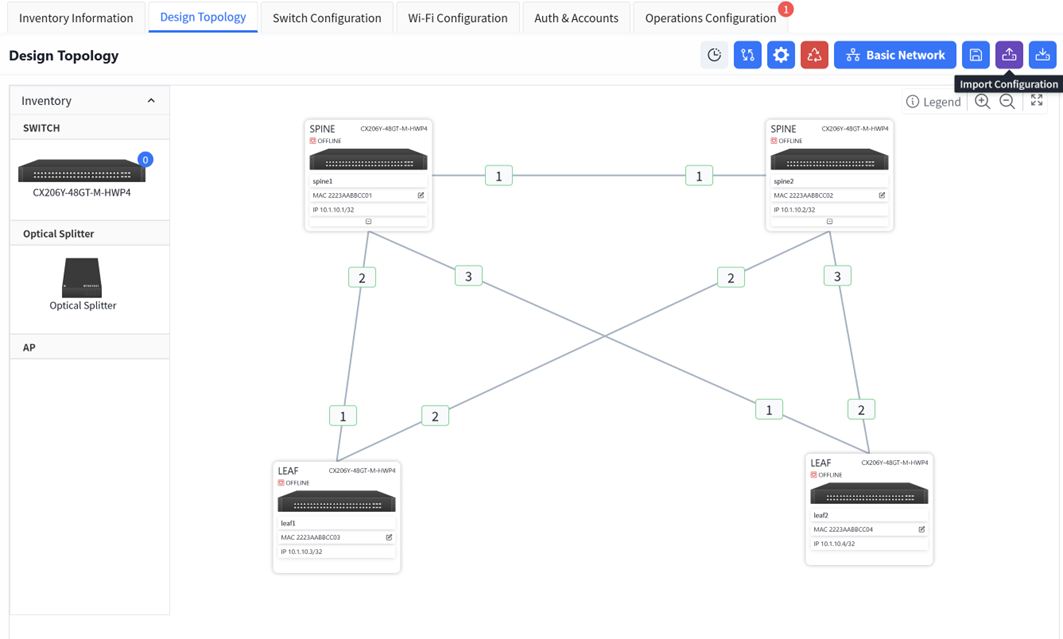
Before importing, users can click [Export Configuration] on the right to obtain a blank configuration file.
The format of the configuration file is as follows:
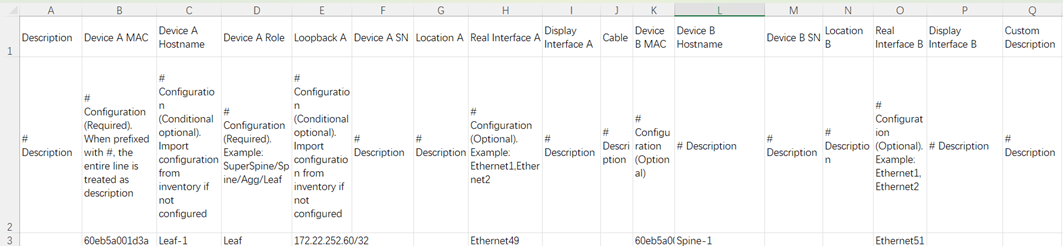
You can simply fill in according to the configuration file template and then import it.
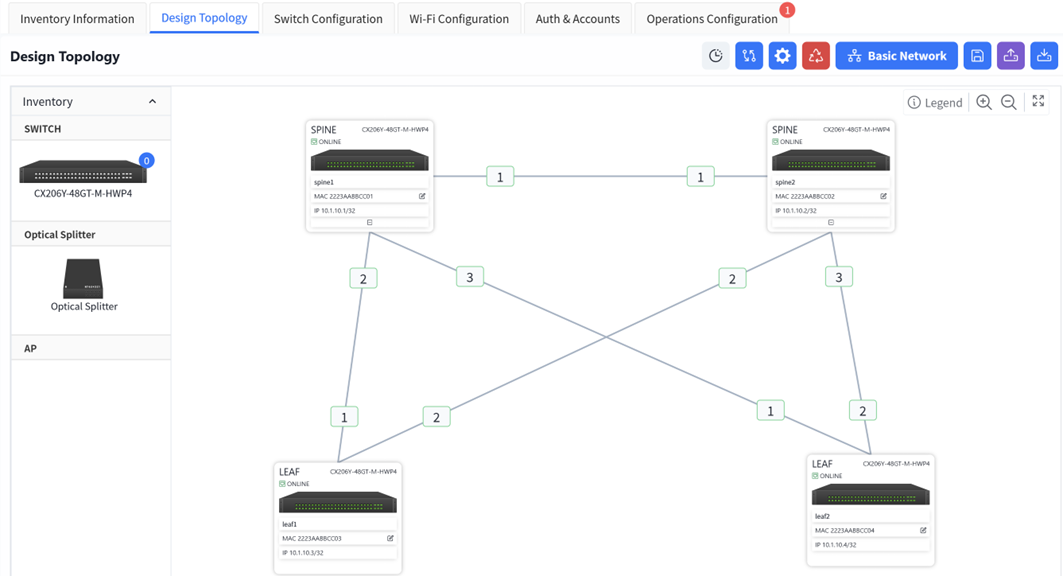
Once you have finished editing the topology, click the [Save] button in the upper right corner to save your edits to the topology.
PON Network Topology Planning
Section titled “PON Network Topology Planning”If a splitter is to be used between Spine and Leaf, to make the topological wiring relationship clear, the splitter needs to be incorporated into the topological planning.
Only the local port needs to be filled in on the switch side.
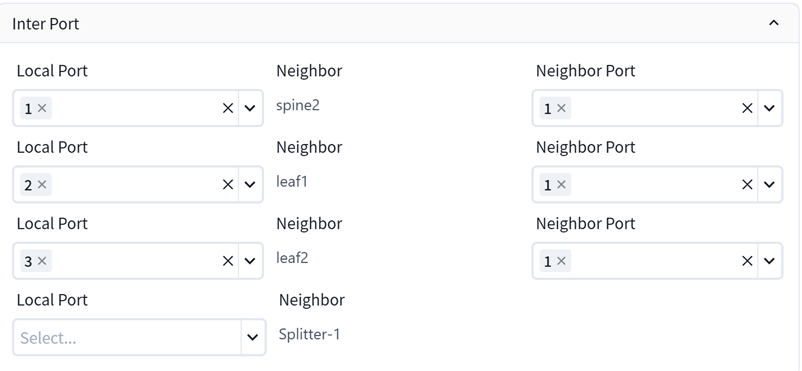
If the user adopts a multi-layer splitter, the neighbor port needs to be filled in the splitter.
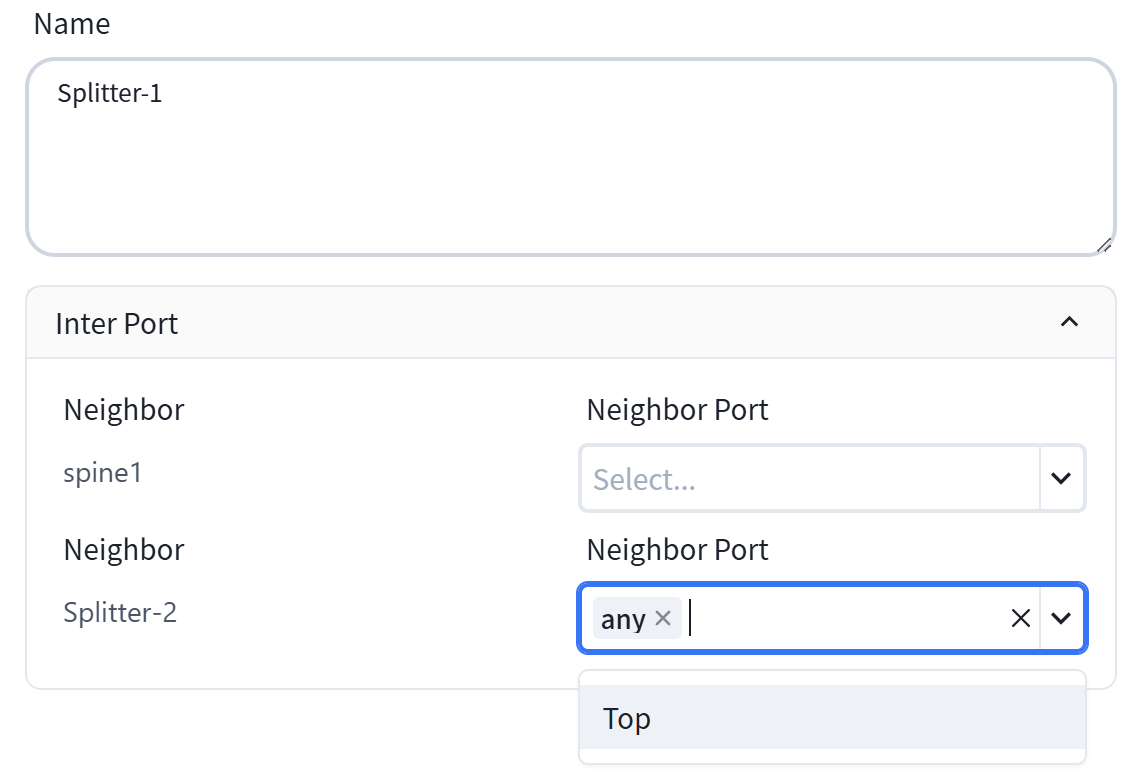
top: Refers to the port in the uplink direction
any: Refers to the port in the downlink direction