
IPv6 Service Configuration Guide
Introduction
Section titled “Introduction”Internet Protocol version 6 (IPv6), also called IP Next Generation (IPng), is a second-generation network layer protocol and an upgraded version of Internet Protocol version 4 (IPv4). It is designed by the Internet Engineering Task Force (IETF).
Configure the IPv6 address of the interface
Section titled “Configure the IPv6 address of the interface”Table 1 Configure IPv6 address of the interface
| Purpose | Commands | Description |
|---|---|---|
| Enter global configuration view. | configure terminal | - |
| Create interface configuration view. | interface {ethernet interface-name[.subinterface-number] | link-aggregation lag-id[.subinterface-number] | vlan vlan-id | loopback loopback-id | mgmt 0} | - |
| Configure an IPv6 address of the interface. | ip address A::B/M | IPv6 address with subnet mask /127 or /128 is not allowed to be configured. In other subnet masks, addresses with the host portion all-zeros are not allowed, but all-ones are allowed. |
Enable auto-generation of IPv6 link-local address for interfaces
Section titled “Enable auto-generation of IPv6 link-local address for interfaces”IPv6 link-local addresses are commonly used for neighbor discovery protocols and stateless autoconfiguration. There are two ways to generate:
- Auto-generation The device automatically generates a link-local address for an interface based on the link-local address prefix (FE80::/10) and the link-layer address of the interface.
- Manual Assignment Users manually configure the IPv6 link-local address via the method described in Configure the IPv6 address of the interface It is recommended to use the auto-generation method to avoid link-local address conflicts.
Table 2 Enable auto-generation of IPv6 link-local address for interfaces
| Purpose | Commands | Description |
|---|---|---|
| Enter global configuration view. | configure terminal | - |
| Create interface configuration view. | interface {ethernet interface-name [.subinterface-number] | link-aggregation lag-id[.subinterface-number] | vlan vlan-id} | - |
| Enable auto generation of IPv6 link-local address. | ipv6 use-link-local | - |
Display and Maintenance
Section titled “Display and Maintenance”Table 3 IPv6 display and maintenance
| Purpose | Commands | Description |
|---|---|---|
| Display interfaces with IPv6 addresses. | show ipv6 interfaces | - |
Typical Configuration Example
Section titled “Typical Configuration Example”Configure SLAAC
Section titled “Configure SLAAC”- Networking Requirements Multiple hosts are connected to Device A. It is expected to configure an IPv6 address on the interface of Device A, and notify to the hosts to obtain the IPv6 address in a stateful manner as well as other related configuration information.
- Topology
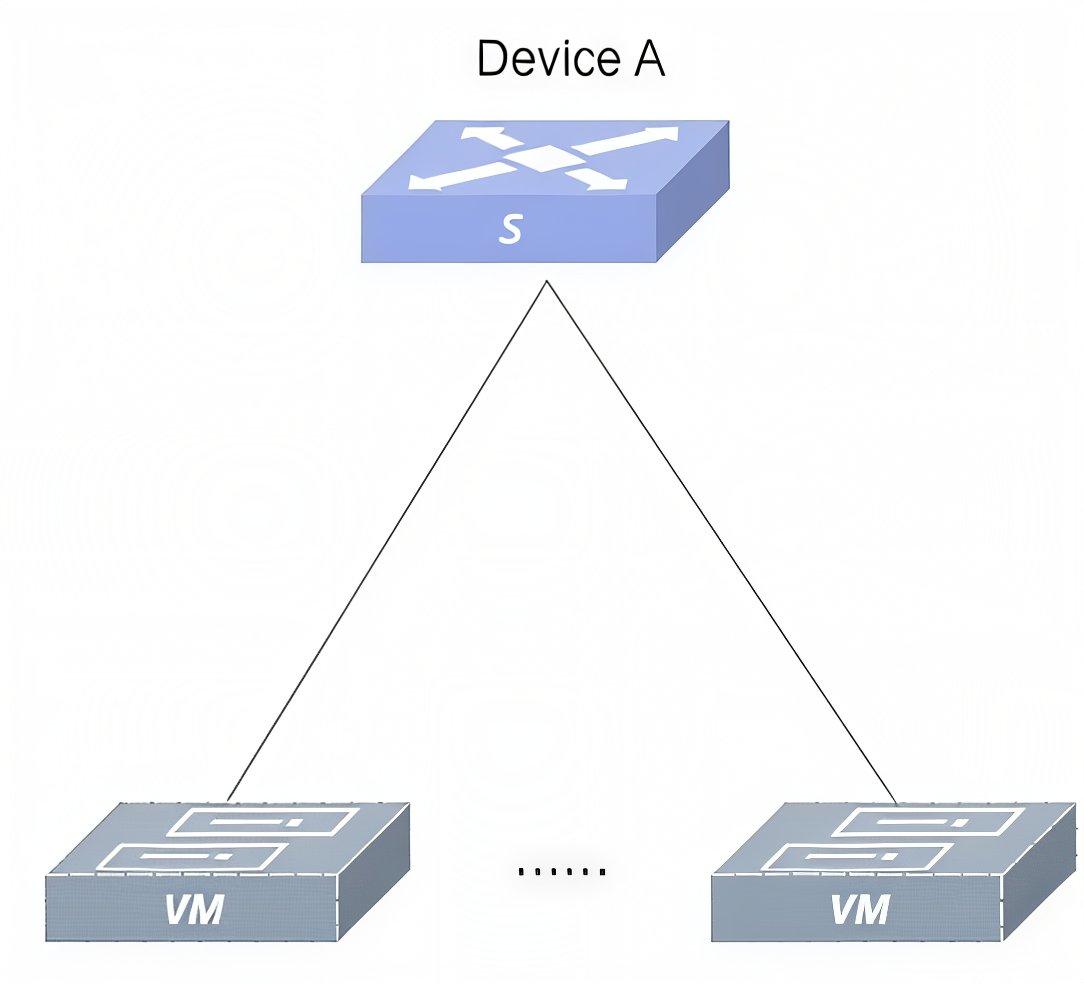
- Procedure
#Create a VLAN, configure an IPv6 address, and add VLAN member.
sonic# configure terminalsonic(config)# vlan 10sonic(config-vlan-10)# exitsonic(config)# interface vlan 10sonic(config-vlanif-10)# ip address 2001::1/64sonic(config)# interface ethernet 0/0sonic(config-if-0/0)# switchport access vlan 10#Enable RA advertisement, advertise IPv6 address prefixes, and set the M and O flag to 1.
sonic(config)# radv enablePlease enter 'radv commit' to take effectsonic(config)# radv commitsonic(config)# interface vlan 10sonic(config-vlanif-10)# radv prefix 2001::/64Please enter 'radv commit' to take effectsonic(config-vlanif-10)# radv managed-flagPlease enter 'radv commit' to take effectsonic(config-vlanif-10)# radv other-config-flagPlease enter 'radv commit' to take effectsonic(config-vlanif-10)# radv commit- Verification
#Display RADV configuration on Device A.
sonic# show radvEnabled: trueGlobal unicast only: false+-------------+-----------+----------------+--------------------+-----------+-----------------+------------+---------+----------------------+---------------------+---------------------+| Interface | Prefix | Managed_Flag | Otherconfig_Flag | OffLink | No-autonomous | Link_MTU | RDNSS | Route | Preference | MaxRtrAdvInterval | MinRtrAdvInterval |+=============+===========+================+====================+===========+=================+============+=========+======================+=====================+=====================+| vlan10 | 2001::/64 | on | on | | | | | | | |+-------------+-----------+----------------+--------------------+-----------+-----------------+------------+---------+----------------------+---------------------+---------------------+#The hosts can ping the gateway.
#Check ND neighbors on Device A.
sonic# show ndp 2001::/64Address MacAddress Iface Vlan Status--------------------- ----------------- --------- ------ ---------2001::210:94ff:fe00:1 00:10:94:00:00:01 0/4 10 REACHABLE2001::210:94ff:fe00:2 00:10:94:00:00:02 0/4 10 REACHABLE2001::210:94ff:fe00:3 00:10:94:00:00:03 0/4 10 REACHABLE2001::210:94ff:fe00:4 00:10:94:00:00:04 0/4 10 REACHABLE2001::210:94ff:fe00:5 00:10:94:00:00:05 0/4 10 REACHABLE2001::210:94ff:fe00:6 00:10:94:00:00:06 0/4 10 REACHABLE2001::210:94ff:fe00:7 00:10:94:00:00:07 0/4 10 REACHABLE2001::210:94ff:fe00:8 00:10:94:00:00:08 0/4 10 REACHABLE2001::210:94ff:fe00:9 00:10:94:00:00:09 0/4 10 REACHABLE2001::210:94ff:fe00:a 00:10:94:00:00:0a 0/4 10 REACHABLETotal number of entries 10